Every slide above was made with Tertin. Photographs from Unsplash.
Two examples you can inspect
From a written brief to a presentation you can inspect
The Northstar guide records one complete creation, edit and download workflow. The separate HarborDesk example shows a reviewed, five-slide operating review. Both use fictional material, so you can judge the slides without mistaking the examples for client work.
Documented workflow
Northstar Workshop
- Brief. Plan 12 customer interviews over four weeks, with no invented findings.
- Edit. Change the opening subtitle in Manual mode, then reopen the deck to check the saved text.
- Inspect. Read the four slides and download the checked PowerPoint or PDF from the guide.
See the prompt, edit and files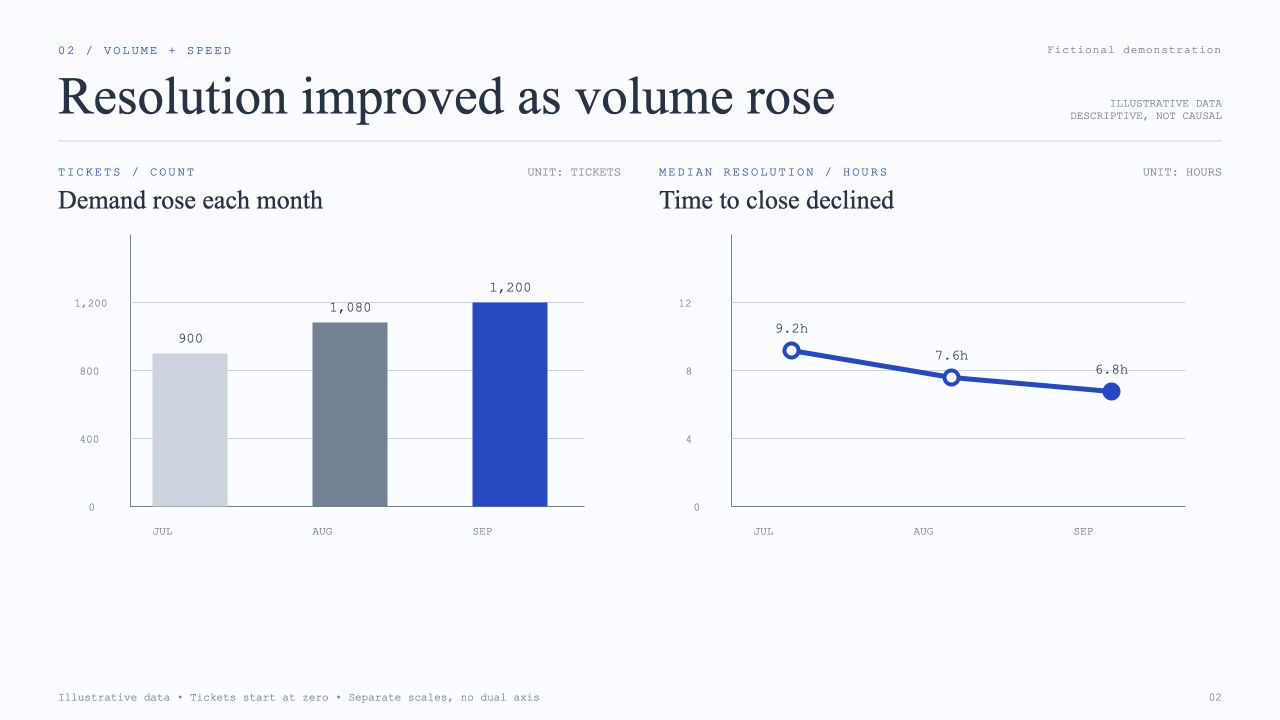
Reviewed professional example
HarborDesk Quarterly Operating Review
Five slides connect ticket demand, resolution time and survey responses to a proposed four-week operating experiment. The figures are fictional. Created with Tertin and copyedited for publication, the reviewed HTML presentation is available to open or download.
Inspect all five slidesAI creation. Detailed design control.
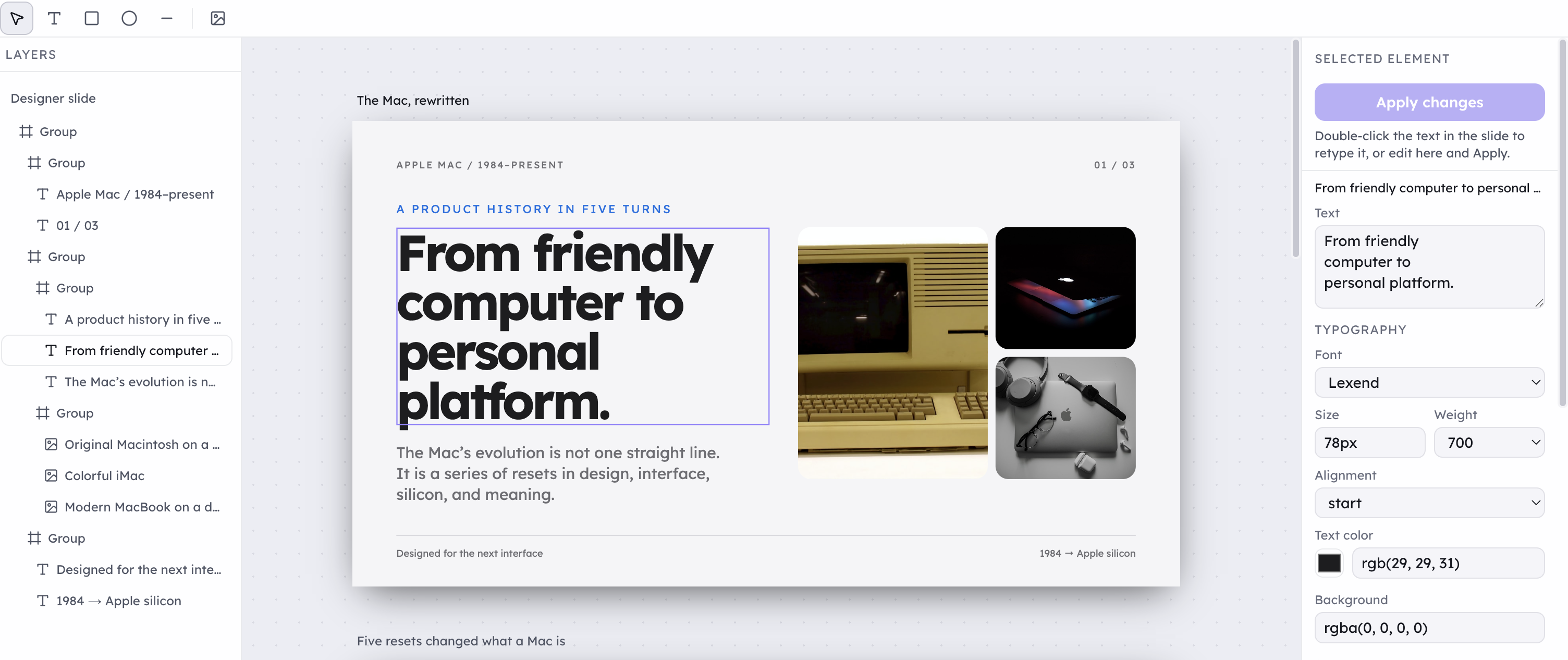
Select the text inside an HTML-designed slide, refine its font, size, weight and color, and navigate the layer tree. Keep working on the details that matter for your next pitch, proposal or presentation.
 Explore the editing tools